
Medical Store Billing Software: A Complete Buyer's Guide for Indian Pharmacies (2026)
Why "Which Billing Software Should I Buy" Doesn't Have One Answer
Search for medical store billing software and most results describe features — GST, batch tracking, barcode scanning. Useful, but it skips the actual decision most pharmacy owners are stuck on: which of these features matter for their specific store, and how do they actually get started without disrupting daily billing.
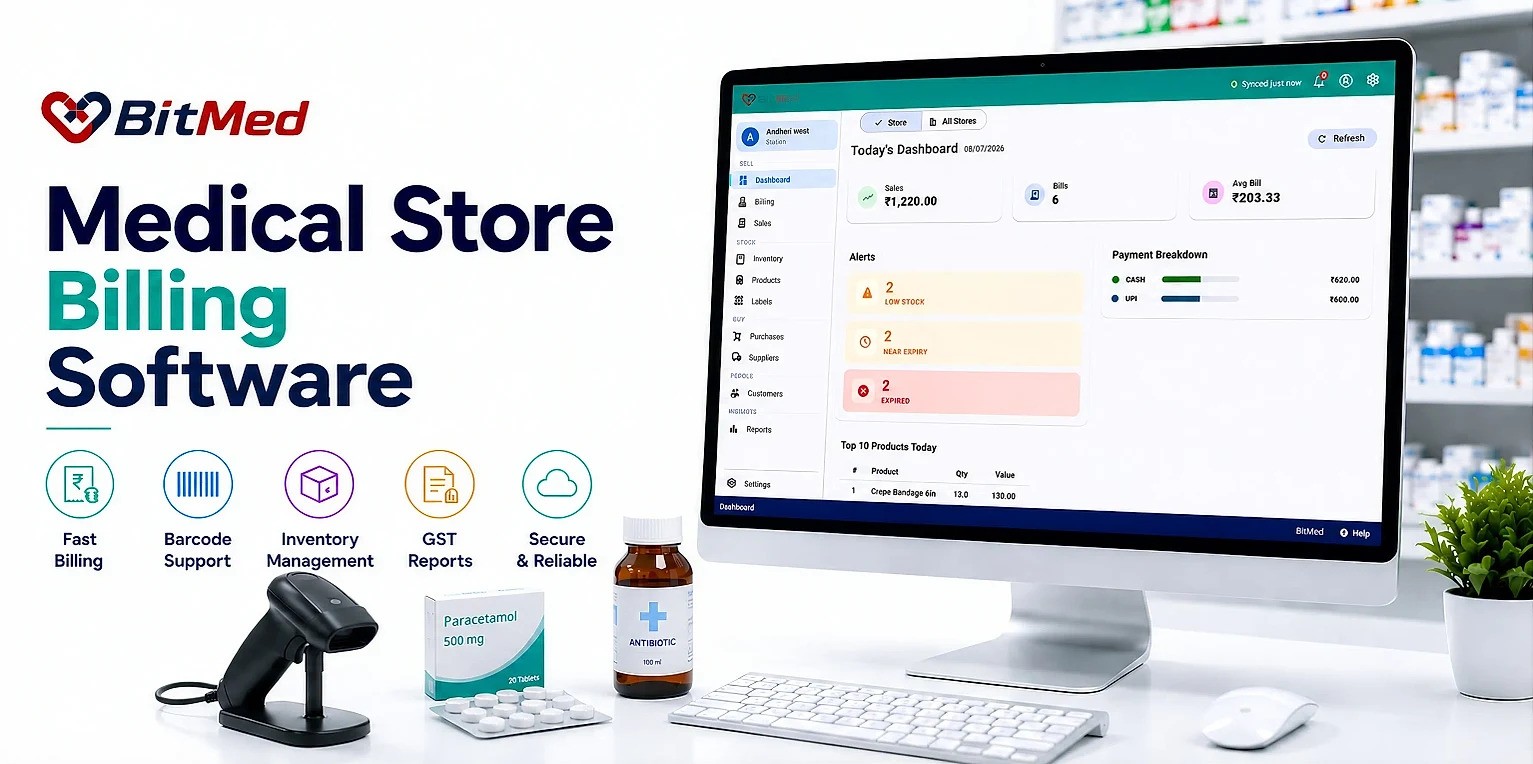
This guide is built around that gap. Instead of listing every feature a system could have, it walks through what different kinds of medical stores actually need, how to evaluate options against that need, and what implementation looks like in practice. BitMed is used throughout as the reference point, as part of its broader Pharmacy Management Software platform.
Start Here: What Kind of Medical Store Are You Running?
Billing software needs differ meaningfully depending on store type. Before comparing feature lists, it helps to know which of these best describes the store today — and where it's headed.
The Single-Owner, Single-Counter Store
Usually one or two people handle billing, product range is manageable, and the priority is simple: fast, accurate billing without a steep learning curve.
What matters most: speed at the counter, automatic GST so no one has to calculate tax by hand, and a system simple enough that a single owner-operator can run it without dedicated IT support.
The Multi-Staff, Single-Location Store
Several billing operators, possibly multiple counters, higher transaction volume, and more room for inconsistency between staff.
What matters most: real-time stock sync across counters so numbers don't drift, role-based access so staff only see what's relevant to them, and credit-sale tracking that doesn't rely on one person's memory.
The Growing Chain (2+ Branches)
Billing needs to work the same way across every branch, with visibility that doesn't require calling each store separately.
What matters most: a centralized product catalog, consolidated reporting, and stock visibility across locations — capability that sits closer to multi-store software than basic billing.
The Store Anticipating Growth
Currently single-location, but planning to expand within the next year or two.
What matters most: choosing a system now that can scale into multi-store capability later, rather than one that will need replacing the moment a second branch opens.
What Every Medical Store Should Insist On, Regardless of Size
Some requirements aren't optional at any scale:
- Automatic GST calculation across all applicable slabs
- Real-time stock deduction at billing, not end-of-day batch updates
- Built-in Schedule H1 compliance at the point of sale
- Secure cloud backup, so billing data survives a hardware failure or lost device
- The ability to keep billing during a brief internet drop, syncing once reconnected
These aren't "nice to have" tiers — they're the baseline a Medical Store Billing Software should meet before store-specific needs even come into play.
How to Actually Evaluate Options
Rather than comparing marketing feature lists side by side, a more useful method is to run each option through the store type breakdown above and ask three questions:
- Daily billing: Does it handle my current daily billing needs without workarounds? (speed, GST, stock accuracy)
- Compliance: Does it cover compliance I can't afford to get wrong? (Schedule H1, GST filing readiness)
- Growth: Will it still fit if my store grows? (multi-counter, multi-branch capability)
A system that scores well on the first two but fails the third often means a forced switch later — which is more disruptive than choosing carefully now.
Implementation: What Switching Actually Looks Like
Owners often delay adopting billing software because they assume implementation will disrupt daily operations for weeks. In practice, with a cloud-based system like BitMed, the process is more contained:
- 1
Sign-up and setup
BitMed uses a phone OTP sign-in followed by a short, guided setup: store details, invoice configuration, pharmacist details, and product catalog.
- 2
Product catalog loading
BitMed's built-in database of 50,000+ Indian medicines covers most items automatically; anything additional can be added through bulk CSV import.
- 3
Staff training on the billing screen
Because the interface is keyboard-first and browser-based, most billing operators adapt within a shift or two of guided use.
- 4
Running parallel for a short period (optional)
Some stores choose to run the new system alongside existing habits for a few days before fully switching over, though this isn't required.
- 5
Full transition
Once staff are comfortable, billing moves entirely to the new system, with inventory, GST, and reporting already connected from day one.
Because BitMed runs as a browser-based platform (PWA) on Chrome, Edge, or Firefox, there's no separate software installation step slowing this down.
Common Mistakes When Choosing Medical Store Billing Software
- Choosing based on price alone: The cheapest option often lacks batch tracking, automatic GST slab handling, or Schedule H1 support — gaps that cost more in compliance risk and lost stock than the price difference saves.
- Ignoring what happens during a connectivity drop: A system that simply stops working without internet creates a real operational risk at the busiest possible moment.
- Not checking multi-user support early: A system that works fine for one billing operator can create real friction once a second or third staff member needs simultaneous access.
- Underestimating product catalog setup time: Choosing software with a large, ready-made Indian medicine database (rather than requiring every product to be entered manually) makes a measurable difference in how fast a store gets fully operational.
- Assuming all "cloud" claims mean the same thing: Some systems only back up data periodically rather than syncing in real time — worth confirming directly rather than assuming.
Decision Checklist by Store Type
- Single-owner, single-counter: Fast billing, automatic GST, simple setup
- Multi-staff, single-location: Real-time multi-counter sync, role-based access, credit tracking
- Growing chain: Centralized catalog, consolidated reporting, cross-branch stock visibility
- Anticipating growth: All of the above, with clear upgrade path to multi-store capability
Frequently Asked Questions
What's the most important feature in medical store billing software?
There isn't a single universal answer — automatic GST calculation and real-time stock accuracy matter for every store, but the next priority (multi-counter sync, multi-branch visibility) depends on the store's size and growth plans.
How long does it take to switch to new billing software?
With a cloud-based, browser-run system like BitMed, most stores can be operational within a few days, since the product catalog is largely pre-built and no separate software installation is required.
Is billing software worth it for a very small, single-counter store?
Usually yes, mainly for GST accuracy and real-time stock tracking — even a low-volume store benefits from removing manual tax calculation errors and stock drift, though the case grows stronger as transaction volume increases.
Should a growing pharmacy choose software with multi-store capability from the start?
If expansion is likely within a year or two, yes — choosing a system built to scale into multi-store use avoids a disruptive switch later, even if that capability isn't needed immediately.
What's a common mistake pharmacies make when choosing billing software?
Choosing based on price alone, without checking for automatic GST slab handling, Schedule H1 compliance, and reliable real-time stock sync — gaps that tend to cost more in the long run than the upfront savings.
Does medical store billing software need internet access to work?
Cloud-based systems like BitMed rely on real-time sync as the default, but well-built ones continue billing locally during a brief connectivity drop and sync automatically once reconnected.
Can billing software be set up without technical expertise?
Yes, if it's designed for pharmacy owners rather than IT teams. BitMed's guided sign-up and setup wizard is built to be completed by store staff directly, without needing a dedicated technical resource.
Conclusion
The right medical store billing software isn't the one with the longest feature list — it's the one that matches how a specific store actually operates today, covers the compliance requirements that aren't optional, and doesn't force a disruptive switch the moment the business grows. Working through store type, non-negotiable baseline features, and a clear-eyed look at implementation gives a much more useful answer than comparing marketing pages side by side.
BitMed is built to fit this decision at every stage — from a single-counter store getting started to a multi-branch chain scaling up — as part of a complete Pharmacy Management Software platform. Explore how it fits your store at bitmed.in.
Choosing billing software for your medical store?
See how BitMed fits a single counter today and a multi-branch chain tomorrow, at bitmed.in.
Explore BitMed