
How Pharmacy Computer Software Improves Daily Operations
Why "Daily Operations" Is the Real Test of Pharmacy Software
Most conversations about pharmacy software focus on features — billing, GST, inventory. But the more useful way to judge a system is to walk through an actual working day at a medical store and ask a simple question at each stage: does this step get easier with software, or does it stay exactly as manual as it was on paper?
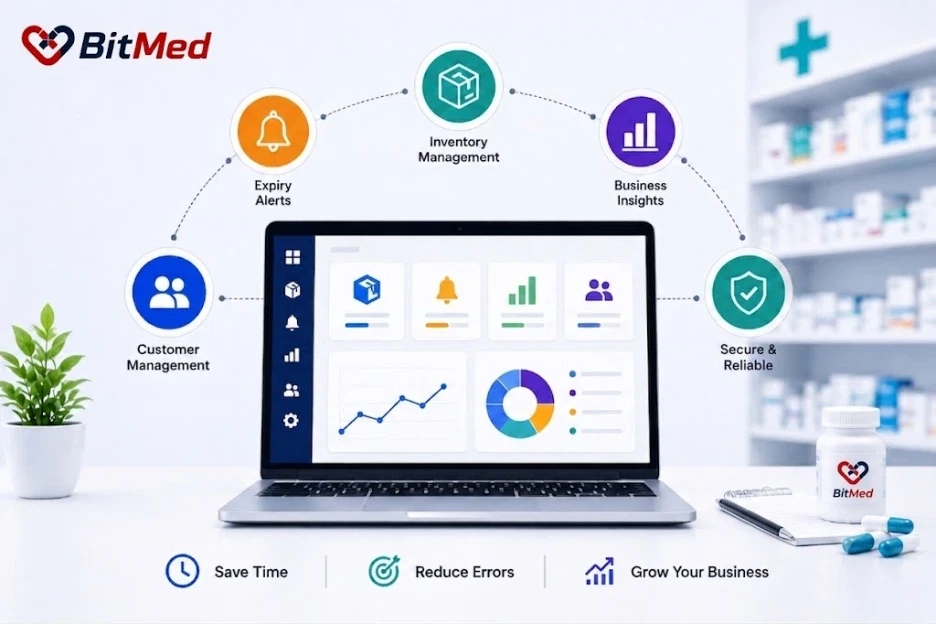
This article walks through a typical pharmacy day — opening, the billing rush, restocking, compliance, and closing — and looks at what changes when a store runs on cloud-based pharmacy computer software like BitMed instead of registers, spreadsheets, or disconnected tools. It's a useful reference point whether you're comparing this against a broader Pharmacy Management Software platform or evaluating a single tool for now.
Opening the Store: Starting the Day With Accurate Numbers
Without software: Opening usually means checking the previous day's closing figures in a register, confirming cash in hand, and manually cross-checking anything unusual from the day before.
With BitMed: The dashboard already reflects the previous day's closing position — sales totals, cash reconciliation, and any pending flags like low stock or near-expiry alerts — the moment a manager logs in. There's no re-checking a paper register to know where the store stands.
This matters because a pharmacy that starts the day uncertain about its numbers tends to stay reactive for the rest of the shift instead of planning around what actually needs attention.
The Billing Rush: Keeping the Counter Moving Without Errors
Without software: Peak hours mean manual price lookups, handwritten calculations for tax, and stock ledgers that fall behind the actual number of items sold.
With BitMed: A keyboard-first billing screen with F-key shortcuts keeps checkout fast, while GST is calculated automatically for every item based on its tax category. Stock is deducted the instant a bill is completed, so the shelf count and the system count never drift apart during a busy shift.
This is where pharmacy computer software has the most visible daily impact — a queue that moves faster with fewer billing mistakes, and stock numbers staff can actually trust in real time rather than checking at day's end.
Mid-Day Restocking Decisions
Without software: Staff notice a product is low only when a customer asks for it and it isn't there — reordering happens reactively, often too late.
With BitMed: Low-stock alerts surface automatically as thresholds are crossed, so reordering decisions happen before a shelf actually goes empty. Purchase orders and goods-received notes (GRN) are logged against suppliers, keeping restocking traceable instead of based on memory.
Day to day, this shifts a pharmacy from reacting to stockouts to preventing most of them.
Handling Regulated and Credit Sales Without Slowing Down
Without software: Schedule H1 medicines require a separate manual register, and credit sales to regular customers are tracked in a notebook that's easy to lose track of.
With BitMed: The H1 register opens automatically at the point of billing whenever a Schedule H1 medicine is sold, folding compliance into the same transaction instead of a separate task. Credit sales are billed directly from the counter, with dues tracked against each customer's profile — so nothing depends on someone remembering to update a separate ledger.
These are small moments in a day, but they're exactly the ones where compliance gaps and unpaid dues quietly build up without software.
Managing Expiry Risk Throughout the Day
Without software: Expiry checks happen occasionally — usually during a periodic stock count — by which point some medicines may already be too close to expiry to return or sell confidently.
With BitMed: FEFO (First-Expiry-First-Out) logic runs automatically during billing, so older batches sell first without staff needing to check manually. Configurable alerts flag near-expiry stock well ahead of time, giving the store room to arrange supplier returns or push targeted sales before a batch becomes a write-off.
This turns expiry management from a periodic clean-up task into something the system handles continuously in the background.
Closing the Store: End-of-Day Reconciliation
Without software: Closing means manually tallying cash against a written sales register, hoping the two numbers match, and often re-checking by hand when they don't.
With BitMed: Denomination-wise cash counting tools support per-counter reconciliation, matching actual cash in hand against the system's recorded sales — making discrepancies easier to catch and trace on the same day rather than weeks later.
For a multi-counter store, this also means each counter can be reconciled individually instead of one combined guess at the end of the night.
Staying Ready for Compliance Without Extra Work
Without software: GST filing at month-end typically means someone manually compiling sales and purchase records from registers or spreadsheets — a task that can take days and is prone to error.
With BitMed: Sales and purchase data are already structured for GST throughout the month, rolling up into GSTR-1 and GSTR-3B ready summaries. Compliance stops being a separate monthly project and becomes a natural byproduct of how the day-to-day billing already works.
A Day-by-Day Comparison
- Opening: Without software: manually check the previous day's register. With BitMed: the dashboard already shows the closing position and alerts.
- Peak billing hours: Without software: manual price and tax lookups, with the stock ledger lagging behind. With BitMed: automatic GST and instant stock deduction.
- Mid-day: Without software: reactive restocking after a stockout. With BitMed: low-stock alerts before shelves empty.
- Regulated and credit sales: Without software: separate manual registers and notebooks. With BitMed: built into the billing transaction automatically.
- Ongoing expiry checks: Without software: periodic manual stock reviews. With BitMed: continuous FEFO logic plus automated alerts.
- Closing: Without software: manual cash-to-register tally. With BitMed: per-counter reconciliation against system records.
- Month-end: Without software: manual compilation for GST filing. With BitMed: GSTR-ready summaries already structured.
Where the Real Time Savings Come From
Looking across a full day, the improvement isn't concentrated in one dramatic feature — it comes from removing dozens of small manual reconciliation steps that used to happen throughout the day: checking a register, updating a notebook, re-counting cash, compiling numbers for filing. Software like BitMed doesn't just speed up billing — it removes the need for most of these separate manual checks entirely, because the data is already accurate and connected as the day happens.
This is also why pharmacy computer software tends to matter more for busier stores — the more transactions a day involves, the more manual reconciliation work there is to eliminate, whether the counter is running BitMed's Pharmacy POS Software or handling inventory through BitMed's Pharmacy Inventory Software.
Frequently Asked Questions
How does pharmacy computer software improve daily operations?
It removes manual reconciliation steps throughout the day — automatic GST calculation, real-time stock deduction, low-stock alerts, and built-in compliance checks — so tasks that used to require separate manual tracking happen automatically as part of normal billing.
Does pharmacy software actually save time during busy hours?
Yes. Keyboard-first billing with automatic tax calculation and instant stock deduction keeps checkout fast even during peak hours, without staff manually calculating tax or checking stock ledgers separately.
How does software help with expiry management day-to-day?
FEFO (First-Expiry-First-Out) logic runs automatically during billing, and configurable alerts flag near-expiry stock in advance — turning expiry management into a continuous background process rather than a periodic manual check.
Does pharmacy software help with Schedule H1 compliance daily?
Yes. In BitMed, the H1 register opens automatically at the point of billing whenever a Schedule H1 medicine is sold, so the compliance record is created as part of the transaction itself.
Does using software make end-of-day closing faster?
Yes. Denomination-wise cash counting with per-counter reconciliation lets staff match cash in hand against system-recorded sales directly, rather than manually tallying a written register.
Is pharmacy computer software only useful for large pharmacies?
No. Even single-counter stores benefit from real-time stock accuracy, automatic GST calculation, and reduced manual reconciliation — the time saved scales with transaction volume, not store size.
Does pharmacy software reduce work at month-end GST filing?
Yes. Because sales and purchase data are structured for GST throughout the month, BitMed produces GSTR-1 and GSTR-3B ready summaries instead of requiring manual compilation at filing time.
Conclusion
The clearest way to see the value of pharmacy computer software isn't a feature list — it's a normal working day. From opening with accurate numbers already in place, through a billing rush that stays fast and error-free, to a closing reconciliation that takes minutes instead of a manual tally, BitMed removes the small manual steps that quietly consume time throughout a pharmacy's day.
This daily impact is really what sits behind BitMed's broader Pharmacy Management Software platform — not a single standout feature, but a day that runs with fewer manual checks from open to close.
Ready to run your pharmacy day with fewer manual checks?
See how BitMed's pharmacy computer software works at bitmed.in.
Explore BitMed